Wednesday, February 17, 2010

Computer Problems

Just a note. I have been trying to let everyone in the groups I'm in, CT's I'm on, and otherwise...

I am having computer issues. I have been trying to fix my laptop. It won't reformat & it won't read from the CD drive. So yea, I have no idea. I'm having it looked at this weekend. But until then, pretty much everything has been removed from it (most saved on my new 640 gig portablt hard drive!) but the only thing that works is Internet Explorer & only in Safe Mode. So I can't use PSP or really do much of anything. Everything else makes it freeze up. If I can't fix it I will buy a new laptop in a few months.

Really sorry about this. And am bored already! LOL. So if you're in any other groups or CT's with me please let them know & share this information. I have not left I am having PC problems.

Thanks!
Miranda

Thursday, February 4, 2010

Blog Design Give Away!

The wonderful designer whom designed by current blog is giving away again :o)

READY2GO BLOG DESIGN GIVEAWAY:

Prizes:

1) One Ready2Go Basic Blog Design Package (Hosted on Blogger.com only) Worth: $18
2) One Ready2Go Exclusive Blog Design Package (Hosted on Blogger.com only) Worth: $25

There are 90 Basic Designs and 20 Exclusive Designs to choose from, WOW! Click the following link to find out what is included in each package and to view each design:
Ready2Go Blog Designs

More info on entering - here -


Miranda

Monday, February 1, 2010

2 New Backgrounds & QPs from "Love Kit" By CHC

I created the following blog backgrounds & quickpages
using the "Love Kit" by Country Hallow Creations @ www.countryhollowcreations.com


Please click the image to be taken to the full size & to be able to download it if wanted.  


Please click the image to be taken to the full size & to be able to download it if wanted.


Please click the image to be taken to the full size & to be able to download it if wanted.


Miranda

Sunday, January 10, 2010

Tutorial - New Year 2010


Happy New Year 2010 Tutorial

Program Used - Paintshop Pro 10

Plugins Used - EyeCandy 5 Impact (not required!)

Scrap Kit - Elegant New Year PTU tagger sized kit by C.C.Creationz @ http://cccreationz.blogspot.com
Available for purchase at Scrappin Dollars @ http://scrappindollars.com

Template - HNY2010template by Kelly's Kreations @ http://kellyskreationcorner.blogspot.com

Tube - glitter2010 by Geith Garvey @ http://garvgraphx.com for purchase @ http://www.mypsptubes.com

Font - Zoe - http://azfonts.com

Supplies - glittersilver.png click below to download png file.


Open HNY2010 template. Copy. Close original. Delete top layer of template (it's the credits/watermark).

In your scrap kit, open paper11. Minimize it.

Select your color replacer tool. Background properties black.  Foreground properties paper11.

Use the color replacer tool on happynewyearblack, black rectangle, and blackcircle layers.

Open glittersilver file (that you downloaded from my blog).  Minimize.

Select your color replacer tool. Make sure the tolerence is set to 200. Background properties b7b7b7 (gray). Foreground properties glittersilver.

Use color replacer tool on 2010glitter, smglittercircle, happynewyearglitter, glitterrectangle, glitterstrips, and glittercircle layers.

Open your tube of choice. Copy. Close orginal. (I chose a tube that has an up close headshot and a full body shot!)

Go to template. Select silverhalfcircle layer. Paste headshot of tube of choice as new layer.

Click silverhalfcirclelayer. Select all. Float. Defloat. Invert. Click layer with headshot of tube. Delete. (Tube should be only inside half circle now)

Selections > None

Set opacity of layer with headshot of tube to 40 or to your liking.

Go back to other image with full body shot of tube of choice. Copy. Go to template. Paste as new layer.

Arrange to your liking.

Select big2010 layer.

Select color replacer tool. Background properties paper11. Foreground properties 808080 (darker gray).

Use color replacer on big2010 layer.

In the scrap kit open stars2. Resize to your liking. Copy. Go to template. Click bkg layer.

Paste stars2 as new layer. Arrange to your liking.

Open bow2. Resize 60% and copy. Go to template and select happynewyearblack layer.

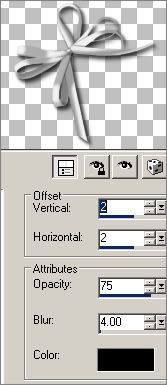
Paste bow2 as new layer. Add drop shadow with the following settings.


Open silver embellishment. Resize by 80%. Copy. Go to template and click layer with body shot of tube of choice.

Paste silver embellishment as new layer. Move to lower left. Duplicate. Mirror.

Open sparkles. Resize 75%. Copy. Go to template and select mask layer. Paste sparkles as new layer.

Select rose with feather and pearls. Resize 50%. Copy. Go to template an click layer with your silver embellishment.

Paste rose with feather and pearls as new layer. Arrange to your liking.

Select pearls. Resize 30%. Copy. Go to template. Paste as new layer. Move to lower left. Duplicate. Mirror.

Add your copyright info and watermark.

Merge all.

Add your name.

I used "Zoe" font.  Foreground settings black. Background settings glittersilver. 1.0 stroke width. Size 72.

I also increased the size of my name more by hand. Then I converted to raster layer.

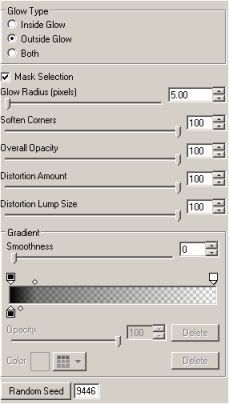
Effects > Plugins > Eye Candy 5 Impact > Gradient Glow - Using the following settings


Repeat the gradient glow with the same settings 2 more times.

As usual you can click on the graphics for a larger view!  :o)


Miranda

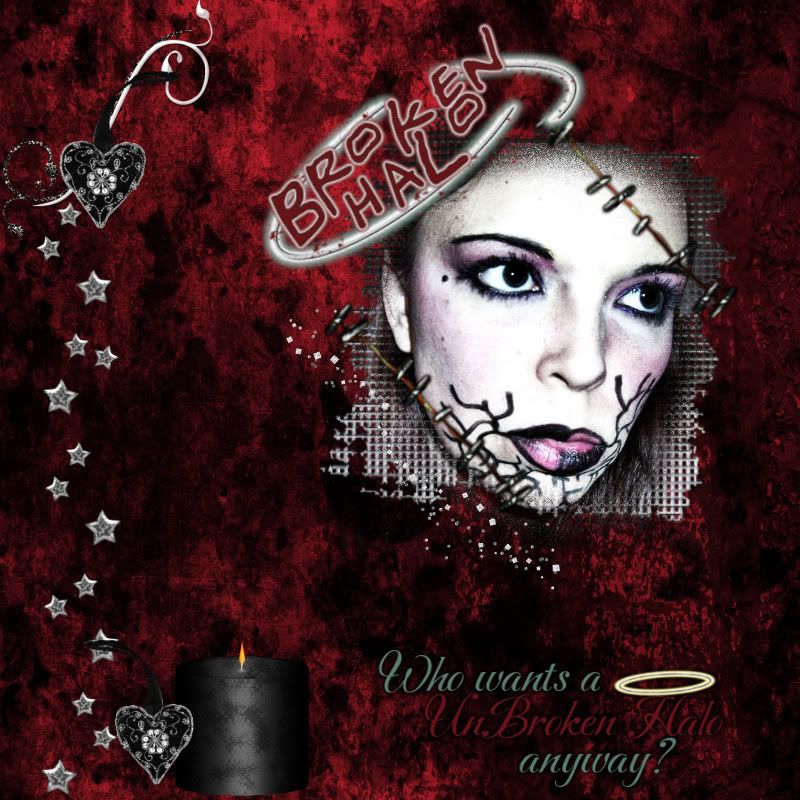
Layout & QPs - Broken Halo

I also decided to do a layout with this tagger sized kit.
You can purchase this kit here - http://www.just4taggers.com

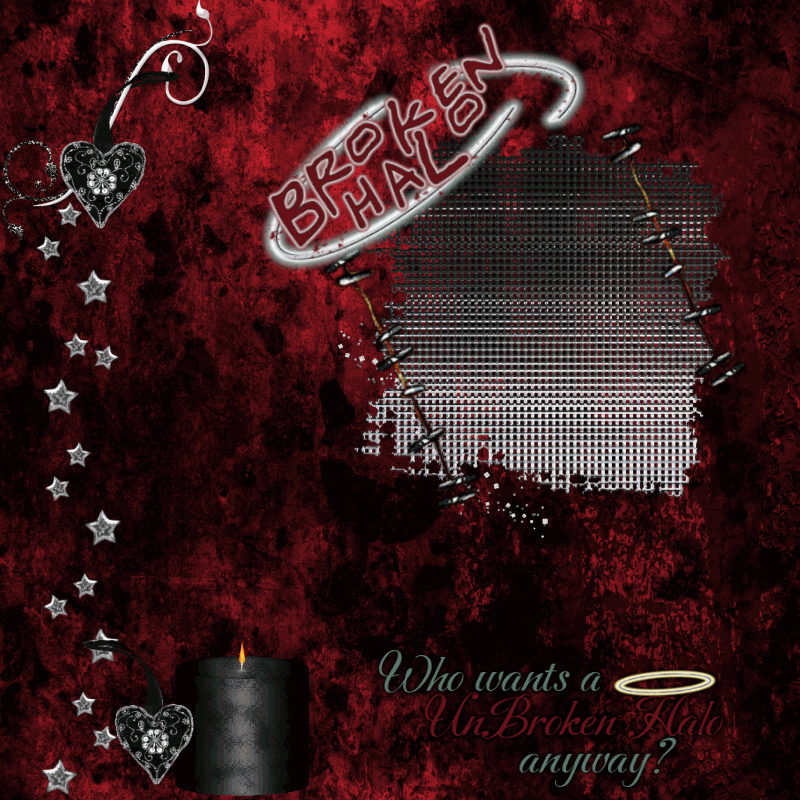
I also made a couple of quickpages. One is just blank and the other has a place where
you can insert your picture if you wanted :o)


as usual - click on the image for a larger view...


The above is a PNG file, you can click on it to get the fullsize!

If you'd like to see other scrap kits from Angel's Designz check out her blog http://angelsdesignz.blogspot.com/


Miranda